The ethereal beauty of a smooth, celestial blue gradient is a sought-after effect in miniature painting, particularly for models with a cosmic or otherworldly theme. Achieving this delicate balance of color, however, can be surprisingly challenging. The subtle shifts in tone, the avoidance of harsh banding, and the incorporation of highlights that truly sing – all demand careful planning and execution. This is especially true when working with contrast paints, notorious for their intense pigmentation and tendency toward unpredictable results. But fear not, aspiring painters! With the right techniques, even the most vibrant contrast paints can be coaxed into creating a stunning, seamless gradient.
This tutorial focuses on mastering a captivating celestial blue effect using contrast paints, guiding you through a process that prioritizes control and subtlety over brute force application. We'll explore methods for achieving a perfectly smooth transition between shades, enhancing depth and dimension with strategic highlighting, and ultimately, producing a miniature that truly captures the breathtaking expanse of a night sky. Let's delve into the step-by-step process to create your own Celestial Dracai.
Preparation and Safety Guidelines
- Contrast paints (Frostheart, Baharoth Blue)
- Acrylic paints (Baharoth Blue, Dead White, Vallejo Model Color Blue, Kalidor Sky, Loathsome Blue)
- Brushes
- Miniature (Stormcast Eternals Celestial Dracai)
- Contrast medium
- Always work in a well-ventilated area. Acrylic paints, even contrast paints, contain chemicals that can be harmful if inhaled.
- Protect your work surface. Contrast paints are highly pigmented and can stain.
- Test your paint mixtures on a spare miniature or palette before applying them to your final model to avoid unexpected results.
Step-by-Step Instructions
Basecoating
- Apply a basecoat of White Scar.

Basecoating Applying Frostheart Contrast
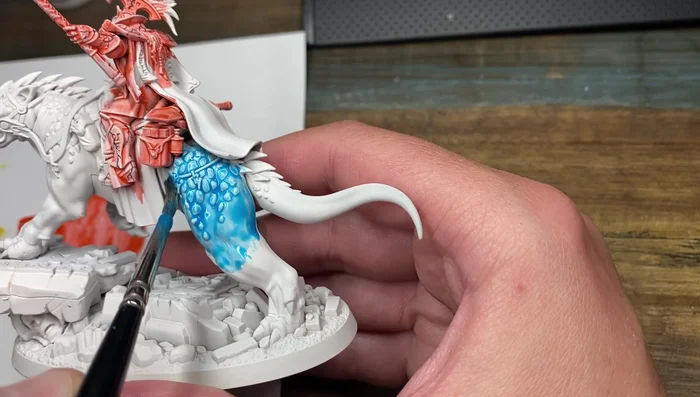
- Mix Frostheart contrast paint with contrast medium (50/50). Apply one coat to the entire model, ensuring the paint doesn't pull too much.
Applying Frostheart Contrast Initial Blue Highlights
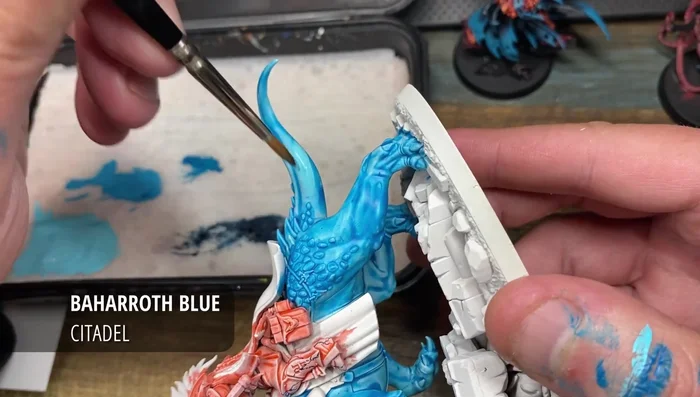
- After drying (approx. 30 minutes), highlight and clean up the flesh areas using Baharoth Blue. Multiple coats may be needed for a smooth finish.
Initial Blue Highlights Muscle Definition Highlights
- Mix Baharoth Blue and Dead White (50/50). Use this mix to highlight muscle definition.
Muscle Definition Highlights Base Scale Color
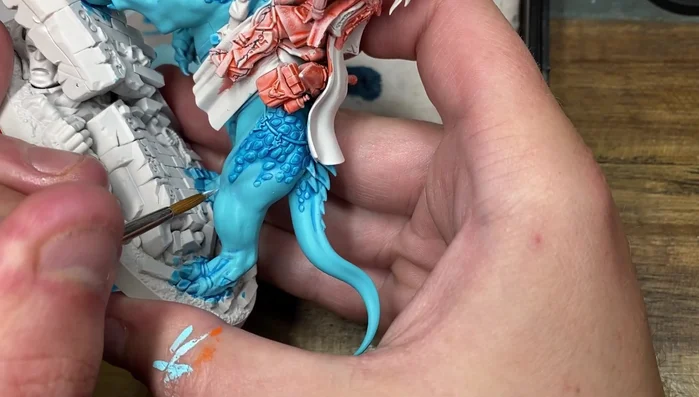
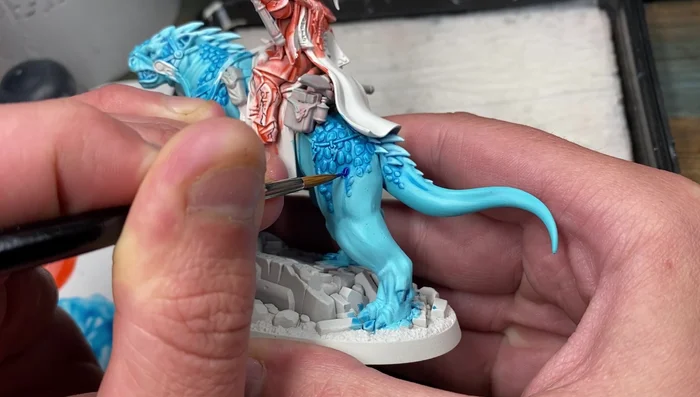
- Apply Vallejo Model Color Blue to the scales, working the paint around the scales to avoid leaving gaps but being careful not to spill onto the skin.
Base Scale Color First Scale Highlight
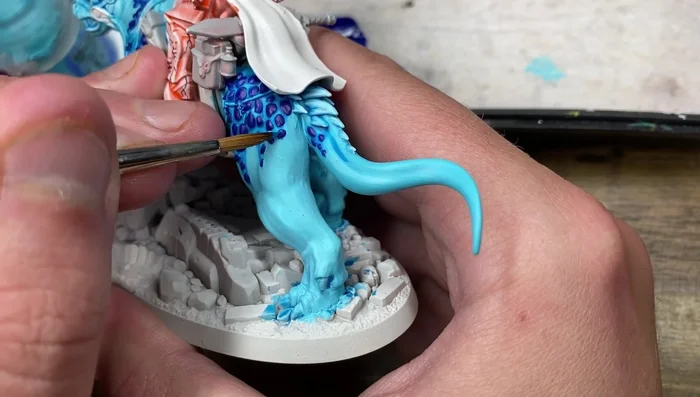
- Highlight the scales with Kalidor Sky, focusing on the top of each scale.
First Scale Highlight Final Scale Highlight
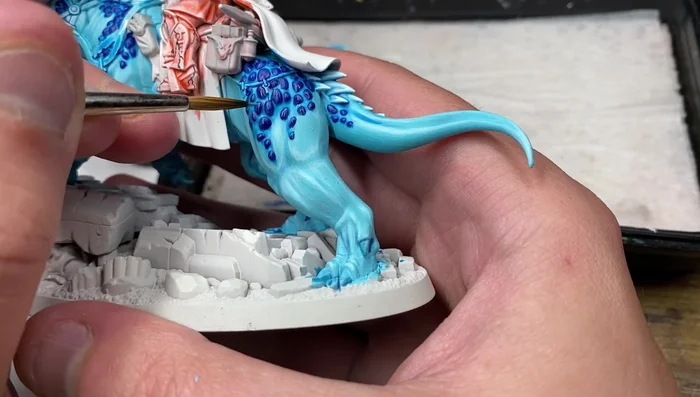
- Add a final highlight to the scales with Loathsome Blue, applying it over the Kalidor Sky highlights.
Final Scale Highlight
Read more: 7 Top Paint Color Trends for 2024: A Complete Guide with Free Downloadable Resource
Tips
- Mixing contrast paint with medium prevents it from pulling too much and allows for smoother transitions.
- Multiple coats of Baharoth Blue may be necessary for a completely smooth finish.
- You can always go back and clean up areas with Baharoth Blue if needed.
- Work the Vallejo Model Color Blue around the scales to prevent gaps and avoid spilling onto the skin.